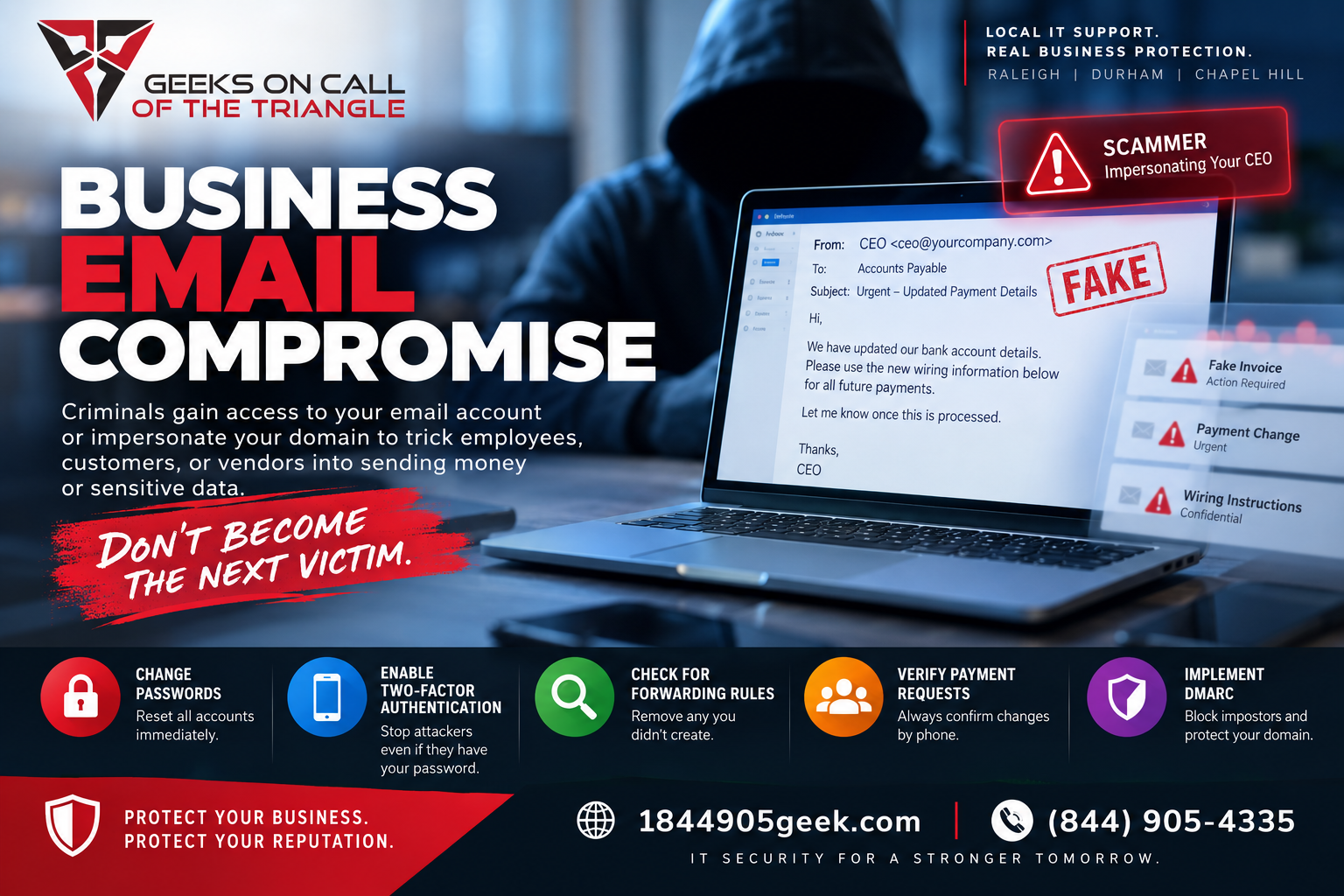
Business email compromise happens when a criminal gains access to your corporate email account or impersonates your domain to trick employees, customers, or vendors into sending money or sensitive data. If you are seeing strange messages sent from your inbox or discovering that clients received invoices with modified payment details, your system has been breached. You can stop this immediately by forcing all users out of their accounts, changing passwords, enabling two-factor authentication, and putting strict email verification protocols in place. If you're a business in North Carolina and need assistance with these steps Geeks on Call of the Triangle can help.
It is incredibly frustrating to realize that an outsider is lurking in your business communications. You built your company on trust, and a single compromised inbox can put your reputation and your cash flow at risk. Many business owners across Raleigh, Durham, and Chapel Hill believe their systems are safe until they get a panicked phone call from a vendor asking why their bank routing numbers suddenly changed. You do not need to be a technology expert to fix this, but you do need to understand exactly how it happened and what steps will lock the digital doors for good.
The most common way criminals pull this off is by exploiting a massive flaw in how standard email works. By default, any computer in the world can send a message that claims to come from your specific company name. To stop this, you must implement DMARC, which is a global email security rule that tells receiving servers to automatically block or quarantine any message using your domain name that did not originate from your authorized systems. Think of it like a digital ID check that stops impostors from ever reaching your customers' inboxes.
Once you get past the initial shock of the breach, your absolute first priority must be containment. Do not waste time trying to figure out who did this or how long they have been there yet. Log into your email administration portal immediately and look for the option to terminate all active sessions. This action forcefully kicks every single user, including the hacker, off their phones, tablets, and computers.
After kicking everyone out, reset every single password across your organization. Make sure the new passwords are long and completely unrelated to any previous variations. Next, enforce two-factor authentication for every account without exception. This requires a unique code sent to an employee's physical phone whenever they log in from a new location, which effectively stops attackers even if they manage to guess a password again.
With the accounts secured, you must look for the hidden traps the hackers left behind. Criminals who pull off business email compromise rarely just grab data and run. Instead, they set up silent forwarding rules inside your inbox settings. These rules automatically copy every incoming and outgoing email and send them to a private address controlled by the hacker. This allows them to monitor your daily conversations, study how you speak to clients, and wait for the perfect moment to inject a fake invoice or an urgent wire transfer request. Go deep into your email settings, review the forwarding rules for every single employee, and delete anything you did not explicitly create.
Next, look closely at your sent mail folder and your deleted items folder. Attackers often delete their tracks as they go, but you might find messages you never wrote sent to your accounting department or your clients. Reach out directly to your bank and any clients who may have received fishy financial instructions. Call them on the phone using a trusted number you already have saved, not any phone number listed in a recent email, to confirm whether any money was redirected to a fraudulent account.
Once the immediate fire is put out, you need to think about long-term prevention throughout the Research Triangle Park region. Hackers love targeting local small businesses because they know smaller teams rarely have a dedicated IT department watching the gates. To protect your domain from being hijacked in the future, you must build on top of your standard filters. Standard filters only look for bad words or known malicious links, but they fail to catch highly targeted, personalized messages that look exactly like a note from your business partner.
Training your staff is just as vital as fixing the software configurations. Teach your office managers and accounting staff to always verify out-of-band before executing any change in payment details. If a vendor emails you saying they changed banks, your team must pick up the phone and call that vendor to verify the change verbally. A simple, two-minute phone call can save your business tens of thousands of dollars in stolen funds.
Security is not a one-time project that you can finish and forget about. As your business grows and you add new employees, software tools, and marketing platforms, your email footprint expands. Every new tool you connect to your system creates another potential doorway for a criminal if it is not configured correctly. Regularly reviewing who has access to your systems and keeping your security protocols updated will keep your operations smooth and secure.
If you are dealing with this nightmare right now or simply want to verify that your company domain is completely locked down against spoofing and unauthorized access, we can help you find out exactly where you stand without any high-pressure sales pitches.
Get a free domain check at https://www.1844905geek.com/free-domain-security-scanner/ or book a free five-minute call with our local team at https://www.1844905geek.com/contact-us/.
Elmer Hill, PMP
CEO and President
Geeks on Call of the Triangle