
How Do I Stop Emails from Going to Spam?
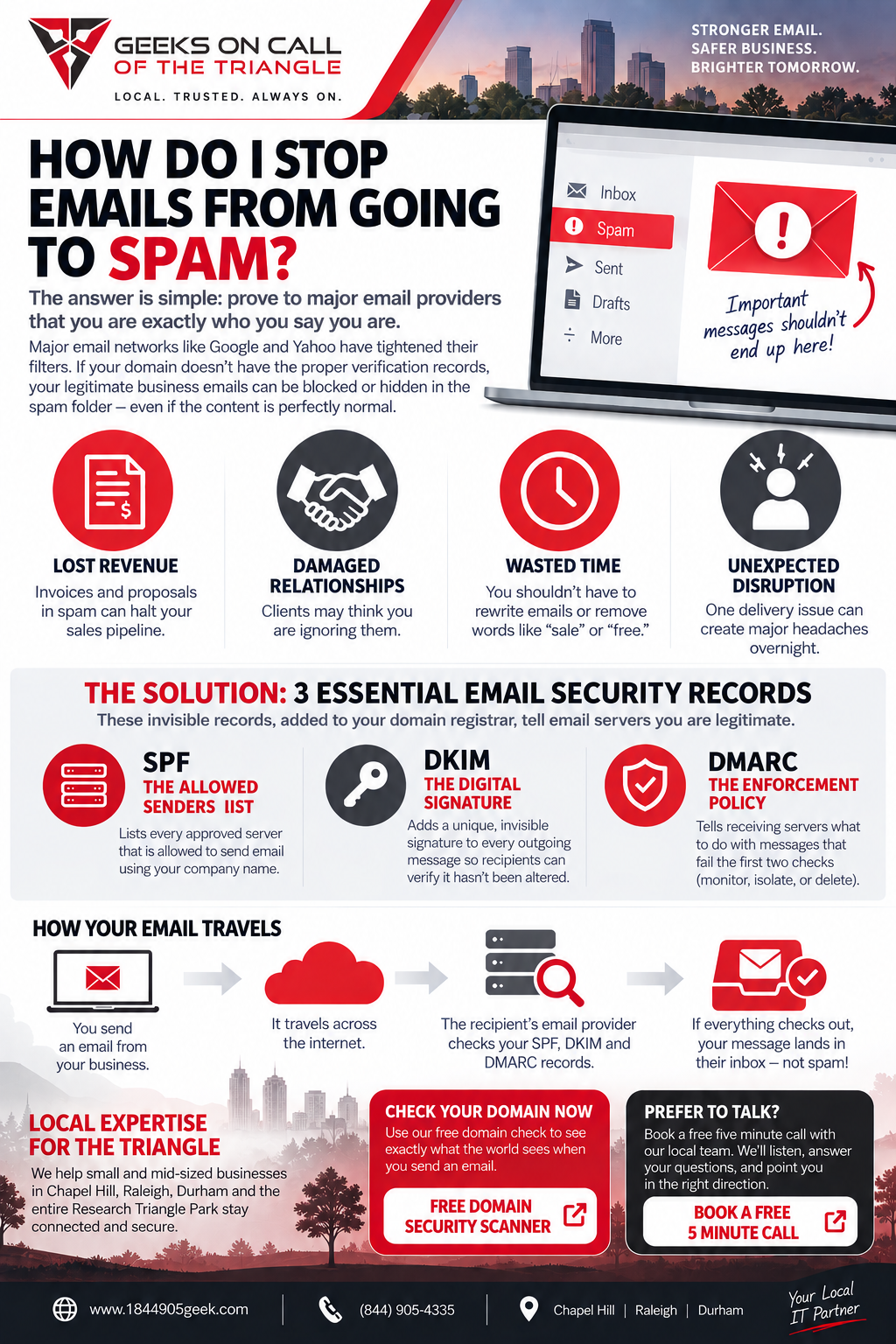
To stop your business emails from going to the spam folder, you need to prove to major email networks that you are exactly who you say you are by updating your hidden domain ownership records. As a Managed Service Provider (MSP) located in North Carolina, we have helped businesses in Raleigh, Durham and Chapel Hill understand this issue. Major email providers like Google and Yahoo have recently tightened their filters, meaning that if your company domain lacks these verified ownership badges, your messages will be blocked or hidden automatically. Fixing this requires adding three specific, invisible tracking codes to your website registration account so email servers can instantly verify your identity.
It is incredibly frustrating to find out that important invoices, client proposals, and daily updates are landing in a junk folder. You did not start a small business to become an expert on internet delivery rules, yet a single delivery issue can halt your sales pipeline or damage a customer relationship overnight. When an office manager or owner notices that clients are missing messages, the natural reaction is to think the email content itself is the problem. Many people waste hours rewriting subject lines or removing words like "sale" and "free," only to discover that their perfectly normal business communications are still being filtered out by automated gatekeepers.
The actual problem lies in a set of universal internet safety rules designed to stop spammers from faking your company identity. One of the core safety pillars is called DMARC. DMARC is an email security rule that tells major email providers exactly what to do with messages that claim to be from your business but fail your hidden identity tests. Think of it like a strict security guard at a building entrance; if a visitor shows up claiming to represent your company but does not have a valid security badge, the guard throws them out. Because spammers frequently try to forge real business email addresses, major email networks now assume a message is fake unless your domain publicly states its security rules.
When you send a message from your local business here in Chapel Hill, it travels across the internet and knocks on the door of your recipient's inbox provider. That receiving provider immediately scans your public web address registry to see if you have given your permission for that specific mail server to send messages on your behalf. If you use a third-party tool like QuickBooks for invoices, Mailchimp for newsletters, or a CRM system for customer management, those external systems are all trying to speak for you. Without the proper behind-the-scenes permission slips established, those incoming messages look highly suspicious to automated filters, even if you are just writing to a lifelong client across town.
The global shift toward stricter filtering has hit small and mid-sized enterprises across the Research Triangle Park region especially hard over the last year. Tech giants implemented these rules globally to cut down on phishing and identity theft, but the unintended side effect was that many legitimate small companies got swept up in the dragnet. If your business has been running smoothly for a decade using the exact same settings, you might suddenly find your delivery rates crashing simply because the internet's standard baseline for identity verification changed without warning. It is not an issue with your computer, your internet service provider, or the text inside your message; it is purely a paperwork mismatch in your website settings.
To permanently solve this delivery nightmare, three essential digital records must be configured inside your web domain registrar, which is the company where you purchased your website name.
- The Allowed Senders List (SPF): This public record lists every approved server that is legally allowed to send mail using your company name. When a recipient's server receives a message from your domain, it references this list to ensure the sending machine has explicit permission to deliver your mail.
- The Digital Signature (DKIM): This tool attaches a unique, invisible cryptographic signature to every outgoing message you send. The receiving inbox verifies this signature against a public key on your website to ensure the message was not altered or intercepted while moving through cyberspace.
- The Enforcement Policy (DMARC): As explained earlier, this rule tells receiving servers whether to monitor, isolate, or completely delete incoming messages that fail the first two identity checks. Setting this policy correctly protects your brand reputation and forces your legitimate mail directly into the main inbox.
Many business owners try to handle these adjustments themselves, only to accidentally lock themselves out of their own communication tools. One misplaced character or an overlapping rule can cause your entire workforce to stop receiving mail entirely, or cause every outgoing message to get permanently blocked. It requires a clear understanding of how your specific office software interacts with your website domain.
You do not have to guess whether your system is set up properly or spend your evenings scrolling through technical forums trying to decode server errors. We can instantly check the health of your company domain to see exactly what the rest of the world sees when you send a message. Take a moment to check your status through our free domain check at https://www.1844905geek.com/free-domain-security-scanner/ to find out if your security records are missing. If you prefer to talk through what you are experiencing with a real person, you can also book a free five minute call with our local team at https://www.1844905geek.com/contact-us/ so we can point you in the right direction.
Elmer Hill, PMP
CEO and President
Geeks on Call of the Triangle